Impeller vs Skia: What Changes for Custom Painting in Flutter
Your CustomPainter talks to Canvas, Paint and Path from dart:ui. That API is the same whether Flutter renders with Skia or with Impeller. What changes is the engine underneath: how shaders are compiled, how edges are anti-aliased, and which effects are available.
This article sticks to what the official sources say: the Impeller page on docs.flutter.dev, the Impeller FAQ and README in the flutter/flutter repository, and the dart:ui API docs. The docs.flutter.dev pages quoted here reflect Flutter 3.47, as of November 2026.
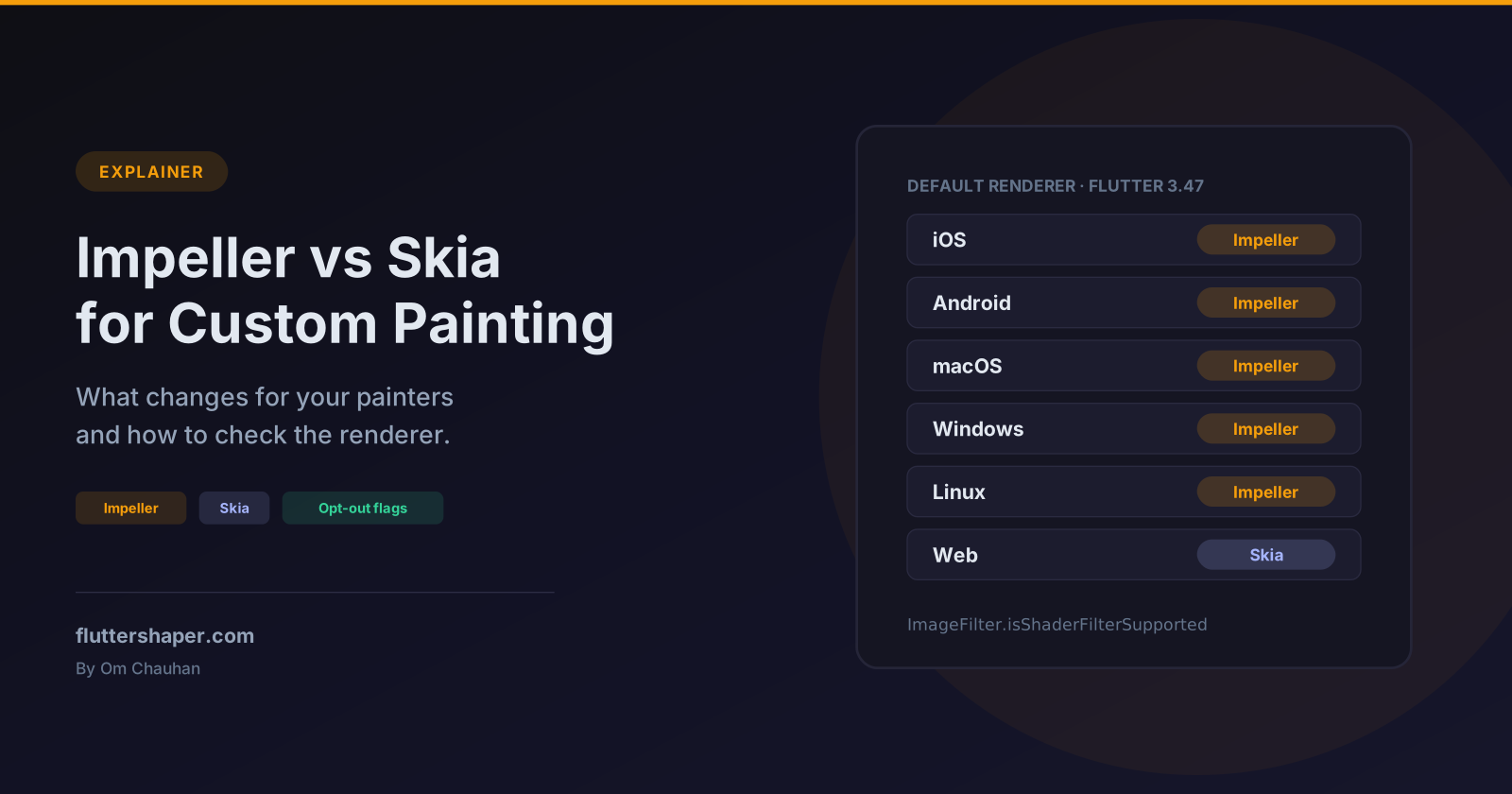
Which renderer runs where
As of November 2026 (Flutter 3.47):
| Platform | Default renderer | Opt out of Impeller? |
|---|---|---|
| iOS | Impeller, the only option | No |
| Android API 29+ | Impeller | Yes, AndroidManifest.xml |
| Android below API 29, or no Vulkan | Falls back to "the legacy OpenGL renderer" | Automatic |
| macOS | Impeller (default since 3.47) | Yes, Info.plist |
| Windows | Impeller (default since 3.47) | Yes, windows/runner/main.cpp |
| Linux | Impeller (default since 3.47) | Yes, linux/runner/my_application.cc |
| Web | Skia | Not applicable |
The docs say that on macOS, Windows and Linux "in a future release, the ability to opt out of using Impeller will be removed", and the engine README carries the same warning for Android. On the web, "Flutter on the web currently uses Skia for rendering. It might use Impeller in the future." The docs also link a Can I use Impeller? spreadsheet with finer-grained support details.
The engine README's availability matrix shows how recent the desktop change is: macOS was in preview, and Windows and Linux were experimental, in every stable release from 3.13 up to 3.44. If you are on an older SDK, the defaults above don't apply.
What Impeller is
From the docs: "Impeller precompiles a smaller, simpler set of shaders at engine-build time so they don't compile at runtime." The FAQ adds the details that matter for painting code:
- No runtime shader generation. "There is no runtime shader generation, reflection, or compilation. Skia can and does generate and compile shaders at runtime." Impeller has "a bounded set of shaders (< 50) that are known ahead of time."
- Skia isn't gone entirely. Impeller renders text, but text "layout and shaping needs to be done by a separate component. This component happens to be SkParagraph which is part of Skia." Image decoding also still uses codecs wrapped by Skia.
- No software backend. "Impeller doesn't have a software backend unlike Skia." Software rendering goes through a software Vulkan or OpenGL implementation instead.
- Same interface for your code. Impeller "sits behind the Display List interface in the C++ engine", which has dispatchers for both Skia and Impeller. The drawing commands your painter records are the same either way.
What changes for custom painting
First-run animation jank
This is the problem Impeller was built to solve. The FAQ explains that with Skia, shaders were compiled "just-in-time", so the first run of an animation could stutter while the GPU program for a new kind of draw call was built. The workarounds, a startup warm-up phase and capturing SkSL shaders in training runs, were platform specific and hard to get right.
With Impeller every pipeline is ready "well before the Flutter application's Dart isolate is launched." Flutter's rendering performance page gives one piece of mobile advice for this symptom: if you see jank only on the first run of an animation, "make sure you're using Flutter's default graphic renderer, Impeller."
For custom painting this means a painter that draws a new combination of gradient, blend mode and path on its first frame doesn't need a warm-up routine on Impeller. The framework's ShaderWarmUp class documents itself as an "interface for drawing an image to warm up Skia shader compilations", so it only concerns Skia.
Anti-aliasing
The Impeller anti-aliasing page describes two techniques:
- 4x MSAA "is used for all rendering calls" on desktop and mobile.
- Signed distance fields (SDFs) smooth edges in the fragment shader. "On desktop, rendering with SDFs is enabled by default. On mobile platforms, SDFs are an option that defaults to false." On iOS you can turn them on in
Info.plist:
  <key>FLTEnableSDFs</key>
  <true/>
The same page notes that standard primitive shapes are drawn with SDFs by default, that drawPath() "is sufficient for most use cases", and that "not all drawn paths are guaranteed to result in SDF rendering". If your edges look rough, start with jagged edges and anti-aliasing in CustomPaint, since Paint.isAntiAlias and clip behaviour matter on both renderers.
Fragment shaders
Custom shaders loaded with FragmentProgram work on both renderers, with a few documented differences from the fragment shaders guide:
ImageFilter.shaderis Impeller only. "TheImageFilterAPI for custom shaders is only supported by the Impeller backend. Using it on other backends will throw an error."- Use
FlutterFragCoord(), notgl_FragCoord. On Skia,gl_FragCoordis rewritten to local coordinates, but "this rewriting isn't possible with Impeller." - OpenGL ES flips the y-axis when sampling a texture in an image filter shader, so the docs' example guards the flip with
#ifdef IMPELLER_TARGET_OPENGLES. - Precision hints "are ignored when targeting Skia."
If you use ImageFilter.shader, check support before building the filter. dart:ui exposes this as ImageFilter.isShaderFilterSupported, whose docs say: "This property will only return true when the Impeller rendering engine is enabled."
saveLayer, opacity and clipping
The cost model doesn't flip between renderers. The performance best practices explain that saveLayer() "allocates an offscreen buffer and drawing content into the offscreen buffer might trigger a render target switch", which is "particularly disruptive to rendering throughput" on mobile GPUs. They list ShaderMask, ColorFilter, and Clip.antiAliasWithSaveLayer among the things that trigger it, and recommend drawing simple shapes with a semi-transparent colour instead of wrapping them in Opacity.
So the same advice applies in a painter: avoid canvas.saveLayer unless overlapping translucent shapes really have to be composited as a group.
Gradients are dithered
While fixing gradient banding on Impeller, the Flutter team made dithering the default. The breaking change note says Paint.enableDithering "is now true by default" and is deprecated, and that dithering applies only to gradients. If you were setting it in a painter, remove it.
Wide-gamut colour
The ColorSpace.displayP3 docs in dart:ui describe Display P3 as "supported in cases like using Impeller on iOS", with colours "clamped to sRGB" on platforms that don't support it. A painter that uses P3 colours can look different across platforms for that reason.
How to opt out (or in)
While developing
flutter run --no-enable-impeller
This works on Android and on the desktop platforms, per the docs. --enable-impeller does the reverse.
Android
Opt out in AndroidManifest.xml, under <application>:
<meta-data
    android:name="io.flutter.embedding.android.EnableImpeller"
    android:value="false" />
The engine README also documents selecting Impeller's OpenGL ES backend instead of Vulkan, for debug and profile builds only:
  <meta-data
    android:name="io.flutter.embedding.android.ImpellerBackend"
    android:value="opengles" />
macOS
In Info.plist, under the top-level <dict>:
  <key>FLTEnableImpeller</key>
  <false />
On SDKs before 3.47, where Skia was the macOS default, the same key set to <true/> opts in; the macOS embedder reads FLTEnableImpeller and treats a missing key as "off" in Flutter 3.38.
Windows
In windows\runner\main.cpp:
  flutter::DartProject project(L"data");
  project.set_impeller_switch(flutter::ImpellerSwitch::Disabled);
Linux
In linux/runner/my_application.cc:
  g_autoptr(FlDartProject) project = fl_dart_project_new();
  fl_dart_project_set_enable_impeller(project, FALSE);
iOS
There is no switch. The README's matrix lists iOS as Impeller-exclusive since Flutter 3.29.
How to check which renderer is running
Read the launch log. When Impeller starts, the engine logs a line beginning Using the Impeller rendering backend, followed by the GPU API, for example (Vulkan) or (OpenGLES) on Android. You can find these messages in the engine's Android and embedder sources, such as android_context_vk_impeller.cc. On Android it also tells you whether Impeller is drawing with Vulkan or OpenGL ES.
Check from Dart. Since ImageFilter.isShaderFilterSupported reports whether Impeller is enabled, it doubles as a runtime check:
import 'dart:ui' as ui;

import 'package:flutter/foundation.dart';

/// True when the engine is rendering with Impeller.
/// ImageFilter.shader only works on Impeller, and this getter reports that.
bool get usingImpeller => ui.ImageFilter.isShaderFilterSupported;

void logRenderer() {
  debugPrint('Renderer: ${usingImpeller ? 'Impeller' : 'Skia'}');
}
A unit test on Flutter 3.38.7 confirms both sides: under a plain flutter test, which renders with Skia, usingImpeller is false, and under flutter test --enable-impeller it is true. That flag is hidden from flutter test -h in 3.38 (it appears with -h -v), but it's a convenient way to run painting tests under Impeller.
A short checklist
- Test painters on every renderer you ship. If you target the web as well as mobile, you ship both Skia and Impeller.
- Review Skia-era workarounds. A custom
ShaderWarmUptargets Skia's runtime shader compilation, andPaint.enableDitheringis deprecated. - Guard Impeller-only APIs such as
ImageFilter.shaderwithisShaderFilterSupported. - If something renders differently, compare against
--no-enable-impeller. The docs ask for Impeller issues to be filed on the Flutter issue tracker with an[Impeller]prefix, the device and chip, screenshots, and a performance trace.
Related articles
Explore Our Projects
Beyond the shape tools — two more things we build and use every day. Free to try, no signup.
Keyboard Arena
Typing practice that plays like a game
Real-time WPM tests, mechanical switch audio, A-Z finger drills and 40+ structured lessons. Race a ghost of your best run instead of grinding random words.
- ✓ Live WPM & Accuracy
- ✓ Mechanical Switch Audio
- ✓ 40+ Guided Lessons
Flutter Log Explorer
Finally, Flutter logs you can read
Zero-config, real-time log capture from the Debug Adapter and Dart VM Service, with smart classification, filters and deduplication — all inside VS Code.
- ✓ Zero-Config Capture
- ✓ Smart Filters & Search
- ✓ Noise-Free Deduplication
Ready to Design Your Own Shapes?
Open the editor and start creating professional Flutter CustomPainter code visually.
Open the Editor