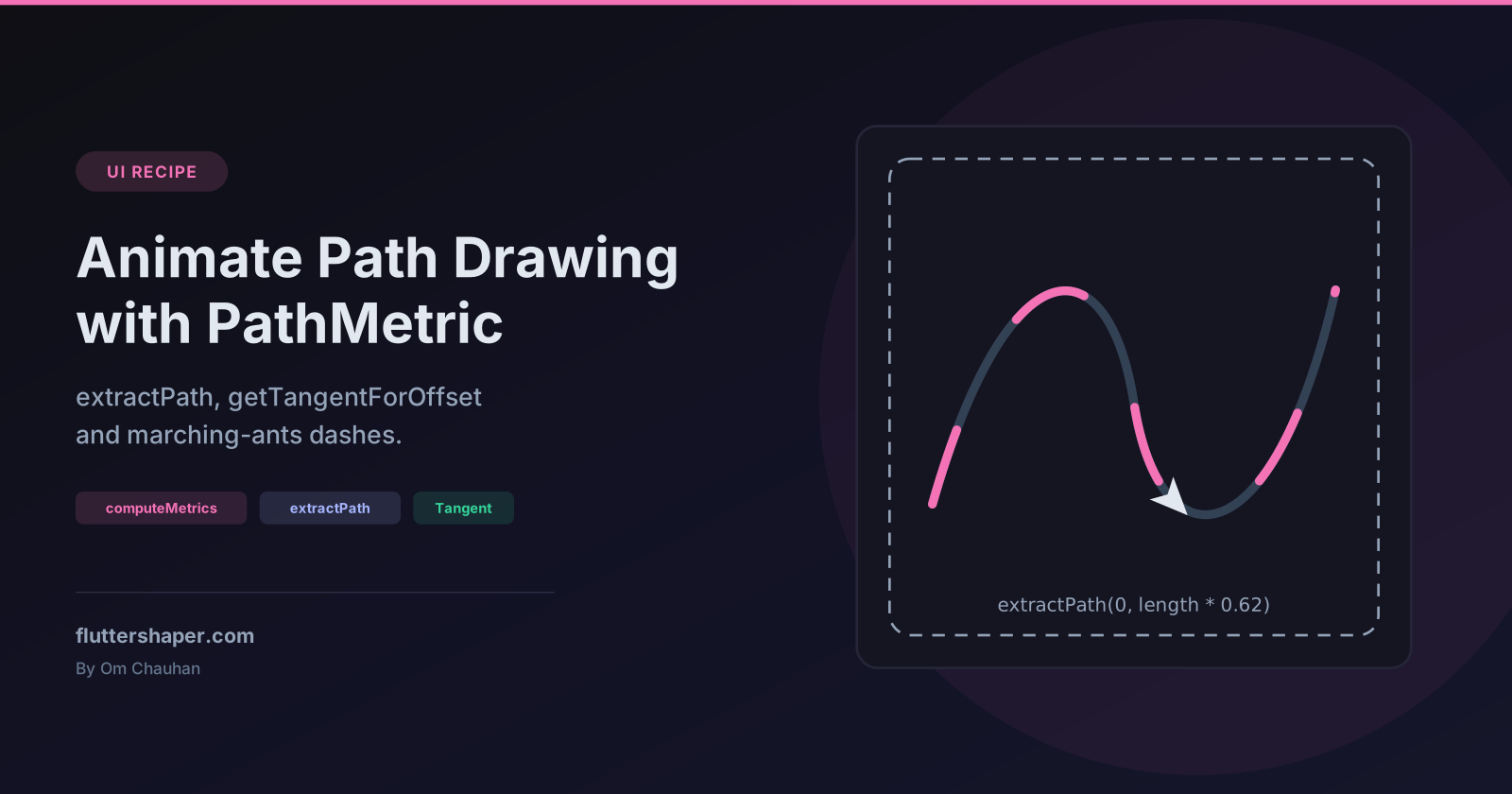
Animate a Path Drawing Itself in Flutter with PathMetric
A signature that writes itself, a check mark that ticks in after a successful payment, a dot travelling along a route, a dashed selection border that crawls: all of these come from one API, Path.computeMetrics(). It measures a path so you can ask for "the first 40% of it" or "the point 120 px along it, and which way it's facing".
This recipe builds three effects with it and one small class that does the measuring once instead of on every frame.
What computeMetrics gives you
A Path is made of contours. Every moveTo after drawing has started begins a new one, and each addOval, addRect or addRRect adds its own. computeMetrics() returns one PathMetric per contour:
| Member | What it gives you |
|---|---|
length |
Length of this contour in logical pixels |
isClosed |
Whether the contour ends with close() (or came from addRect, addOval...) |
contourIndex |
Position of the contour in the path |
extractPath(start, end) |
A new Path containing just the part between two distances |
getTangentForOffset(distance) |
A Tangent with the position and direction vector at that distance |
Everything is measured by distance along the contour, not by the curve parameter t. That's what makes the animations look even: if you split a Bézier curve at t = 0.5 you can be well short of the halfway point (how Bézier curves work shows a cubic where it's only 32% of the way).
PathMetric and Tangent live in dart:ui. package:flutter/material.dart re-exports common dart:ui types such as Path and Offset, but not these two, so add import 'dart:ui'; to files that name them.
Gotcha: PathMetrics can only be iterated once
computeMetrics() returns a lazy PathMetrics iterable. In the current SDK it holds a single iterator that every loop shares, so the second pass over it finds nothing:
| Code | Result in a test with two contours |
|---|---|
metrics.length |
2 |
metrics.length again |
0 |
for (final m in metrics) afterwards |
loop body never runs |
path.computeMetrics().toList() |
a list you can read as often as you like |
The SDK documentation says the iterable "does not memoize" and recommends toList(). Do that every time you need the metrics more than once. The PathMetric objects in the list keep working after iteration has finished.
Measure once: a MeasuredPath helper
The SDK docs also warn that calculating metrics "is not trivial". Each computeMetrics() call creates a fresh native measuring object and walks the path again. The animation only changes how much of the path you show, so measure once and keep the result:
import 'dart:math' as math;
import 'dart:ui';

import 'package:flutter/material.dart';

/// A path plus its measurements, computed once.
class MeasuredPath {
  MeasuredPath(this.path) : metrics = path.computeMetrics().toList();

  final Path path;
  final List<PathMetric> metrics;
  late final double length = metrics.fold(0.0, (sum, m) => sum + m.length);

  /// The first [progress] (0..1) of the path, one contour after another.
  Path extract(double progress) {
    if (progress >= 1) return path; // keeps closed contours closed at the seam
    var remaining = length * progress;
    final result = Path();
    for (final metric in metrics) {
      if (remaining <= 0) break;
      result.addPath(metric.extractPath(0, math.min(remaining, metric.length)), Offset.zero);
      remaining -= metric.length;
    }
    return result;
  }

  /// Position and direction at [progress] (0..1) of the whole path.
  Tangent? tangentAt(double progress) {
    var distance = length * progress;
    for (final metric in metrics) {
      if (distance <= metric.length || metric == metrics.last) {
        return metric.getTangentForOffset(distance);
      }
      distance -= metric.length;
    }
    return null;
  }
}
Handling multiple contours
extract spreads the progress across the total length of all contours, so they draw one after another at the same speed. For a path made of a 100 px line and a 50 px line, tests show:
extract(0.5)returns one contour 75 px long (half the total, all from the first line);extract(0.8)returns the full 100 px first line plus 20 px of the second.
If you'd rather draw every contour at once, each reaching the end together, call metric.extractPath(0, metric.length * progress) for each metric instead.
Why extract(1) returns the original path
extractPath(0, metric.length) on a closed contour gives you an open contour: a test on an addRect path shows the result's isClosed is false. Stroked, the start corner gets two line caps instead of a join. A test that strokes a rectangle 20 px wide and reads the pixels finds that corner's outer square empty, while the other three corners are filled. Returning the original path at full progress avoids the glitch on the last frame.
Recipe 1: a path that draws itself
The painter takes the MeasuredPath and an Animation<double>, and passes the animation to super(repaint:) so it repaints on every tick without rebuilding any widgets:
class PathDrawingPainter extends CustomPainter {
  PathDrawingPainter({required this.path, required this.progress, required this.color})
    : super(repaint: progress);

  final MeasuredPath path;
  final Animation<double> progress;
  final Color color;

  @override
  void paint(Canvas canvas, Size size) {
    canvas.drawPath(
      path.extract(progress.value),
      Paint()
        ..style = PaintingStyle.stroke
        ..strokeWidth = 4
        ..strokeCap = StrokeCap.round
        ..strokeJoin = StrokeJoin.round
        ..color = color,
    );
  }

  @override
  bool shouldRepaint(PathDrawingPainter oldDelegate) =>
      oldDelegate.path != path ||
      oldDelegate.progress != progress ||
      oldDelegate.color != color;
}
The widget owns the controller and the measurements:
class DrawingPath extends StatefulWidget {
  const DrawingPath({
    super.key,
    required this.path,
    this.color = const Color(0xFF4F46E5),
    this.duration = const Duration(seconds: 2),
  });

  final Path path;
  final Color color;
  final Duration duration;

  @override
  State<DrawingPath> createState() => _DrawingPathState();
}

class _DrawingPathState extends State<DrawingPath> with SingleTickerProviderStateMixin {
  late final AnimationController _controller = AnimationController(
    vsync: this,
    duration: widget.duration,
  )..forward();
  late MeasuredPath _measured = MeasuredPath(widget.path);

  @override
  void didUpdateWidget(DrawingPath oldWidget) {
    super.didUpdateWidget(oldWidget);
    if (oldWidget.path != widget.path) {
      _measured = MeasuredPath(widget.path);
      _controller.forward(from: 0);
    }
  }

  @override
  void dispose() {
    _controller.dispose();
    super.dispose();
  }

  @override
  Widget build(BuildContext context) {
    return CustomPaint(
      painter: PathDrawingPainter(
        path: _measured,
        progress: CurvedAnimation(parent: _controller, curve: Curves.easeInOut),
        color: widget.color,
      ),
    );
  }
}
Give it a size from its parent, for example SizedBox(width: 260, height: 200, child: DrawingPath(path: myPath)). The path is drawn in the widget's own coordinates.
Two details matter here:
- Measurement happens in the
State, not inpaint().paint()runs every frame of the animation; theMeasuredPathis built once, and again only when a different path arrives. didUpdateWidgetcompares paths by identity. Metrics are a snapshot: a test that adds a line to a path after measuring it shows the old metrics don't change. So pass a newPathobject when the shape changes, rather than mutating the old one in place.
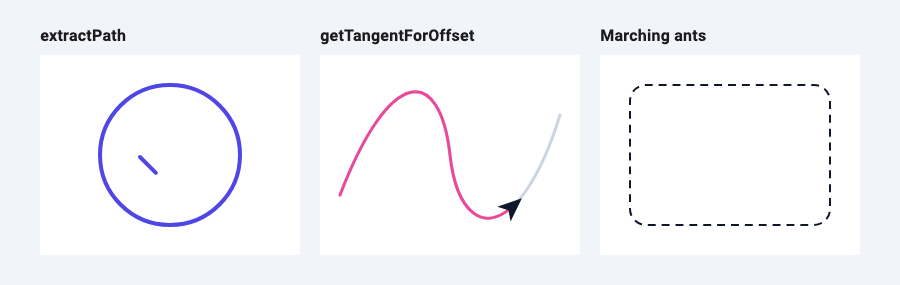
In the screenshot above, the path is a circle (addOval) followed by a check mark (moveTo plus two lineTos). Because progress is shared across contours, the circle completes first and the tick follows, which reads naturally as one gesture.
Recipe 2: move an object along a path
getTangentForOffset returns where you are and which way the path is heading. Translate to the position, rotate to the direction, and draw the object pointing along +x:
class FollowPathPainter extends CustomPainter {
  FollowPathPainter({required this.path, required this.progress}) : super(repaint: progress);

  final MeasuredPath path;
  final Animation<double> progress;

  @override
  void paint(Canvas canvas, Size size) {
    final track = Paint()
      ..style = PaintingStyle.stroke
      ..strokeWidth = 3
      ..strokeCap = StrokeCap.round;
    canvas.drawPath(path.path, track..color = const Color(0xFFCBD5E1));
    canvas.drawPath(path.extract(progress.value), track..color = const Color(0xFFEC4899));

    final tangent = path.tangentAt(progress.value);
    if (tangent == null) return;
    canvas.save();
    canvas.translate(tangent.position.dx, tangent.position.dy);
    canvas.rotate(tangent.vector.direction); // not tangent.angle
    // An arrow drawn pointing along +x, so it faces the direction of travel.
    canvas.drawPath(
      Path()
        ..moveTo(14, 0)
        ..lineTo(-10, -10)
        ..lineTo(-4, 0)
        ..lineTo(-10, 10)
        ..close(),
      Paint()..color = const Color(0xFF0F172A),
    );
    canvas.restore();
  }

  @override
  bool shouldRepaint(FollowPathPainter oldDelegate) =>
      oldDelegate.path != path || oldDelegate.progress != progress;
}
Gotcha: Tangent.angle has the opposite sign
Tangent has an angle getter, and it's tempting to write canvas.rotate(tangent.angle). That rotates the wrong way. The SDK defines angle as -atan2(vector.dy, vector.dx) (the source comment says the sign is flipped to match Path.arcTo), while Canvas.rotate takes clockwise radians.
For a path heading straight down the screen, a test shows:
| Value | Result |
|---|---|
tangent.vector |
Offset(0, 1) |
tangent.vector.direction |
+π/2 |
tangent.angle |
−π/2 |
Offset.direction is documented as using the same convention as Canvas.rotate. A test that applies both rotations to a real Canvas and reads back getTransform() confirms it: rotating by vector.direction puts the arrow's tip 14 px further down the path, and rotating by angle makes it point back up. Use vector.direction, or -tangent.angle if you prefer.
Recipe 3: an animated dashed line (marching ants)
Flutter's Paint has no dash pattern. With metrics you can cut dashes out of any path, curves included, by extracting short pieces at regular distances:
/// Dashes along every contour. [phase] (0..1) shifts the pattern forward
/// by that fraction of one dash + gap, so animating it 0 -> 1 loops seamlessly.
Path dashPath(List<PathMetric> metrics, {double dash = 8, double gap = 6, double phase = 0}) {
  final result = Path();
  for (final metric in metrics) {
    var on = dash;
    var period = dash + gap;
    if (metric.isClosed) {
      // Stretch the pattern so a whole number of dashes fits: no odd dash at the seam.
      final count = math.max(1, (metric.length / period).round());
      on *= metric.length / count / period;
      period = metric.length / count;
    }
    // Start one period early so a dash can enter from the start of the contour.
    for (var start = (phase - 1) * period; start < metric.length; start += period) {
      if (start + on > 0) {
        result.addPath(metric.extractPath(math.max(start, 0), start + on), Offset.zero);
      }
    }
  }
  return result;
}
Animate phase from 0 to 1 with a repeating controller and the dashes crawl forward, wrapping back to the same picture at the end of each loop:
class MarchingAntsPainter extends CustomPainter {
  MarchingAntsPainter({required this.metrics, required this.phase}) : super(repaint: phase);

  final List<PathMetric> metrics;
  final Animation<double> phase; // 0..1, repeating

  @override
  void paint(Canvas canvas, Size size) {
    canvas.drawPath(
      dashPath(metrics, phase: phase.value),
      Paint()
        ..style = PaintingStyle.stroke
        ..strokeWidth = 2
        ..color = const Color(0xFF0F172A),
    );
  }

  @override
  bool shouldRepaint(MarchingAntsPainter oldDelegate) =>
      oldDelegate.metrics != metrics || oldDelegate.phase != phase;
}
Create the controller with AnimationController(vsync: this, duration: const Duration(milliseconds: 600))..repeat() and pass it as phase, using the same State pattern as DrawingPath. Measure the border path once (path.computeMetrics().toList()) and hand the list to the painter.
Why stretch the pattern on closed contours
A closed contour has a seam where it starts and ends. If its length isn't a whole number of dash-plus-gap periods, the last dash before the seam is cut short, and as the pattern moves that stub grows and shrinks at one corner. For a 200 × 120 rectangle (perimeter 640) a test shows the total inked length of a plain 8/6 pattern varying between 364 and 368 px as the phase changes. With the pattern stretched to fit 46 dashes exactly, it stays at 365.7 px at every phase tested: every dash is the same length and the seam disappears.
On open contours the dashes simply run off the end, which is the behaviour you want for a dashed route or connector line.
Checklist
- Call
computeMetrics().toList()once per path and keep the list. APathMetricsobject can only be iterated once. - Measure in
initState/didUpdateWidget(or anywhere outsidepaint()), and pass a newPathwhen the shape changes. - Drive painters with
super(repaint: animation)so animation frames repaint without rebuilding. - Spread progress over the total length for one-after-another drawing; use per-contour progress for all-at-once.
- Return the original path at progress 1 so closed shapes keep their final join.
- Rotate by
tangent.vector.direction, nottangent.angle. - Stretch dash patterns on closed contours so the seam doesn't show.
If your painter is repainting more often than the animation needs, why your CustomPainter repaints every frame walks through the causes.
Related articles
Explore Our Projects
Beyond the shape tools — two more things we build and use every day. Free to try, no signup.
Keyboard Arena
Typing practice that plays like a game
Real-time WPM tests, mechanical switch audio, A-Z finger drills and 40+ structured lessons. Race a ghost of your best run instead of grinding random words.
- ✓ Live WPM & Accuracy
- ✓ Mechanical Switch Audio
- ✓ 40+ Guided Lessons
Flutter Log Explorer
Finally, Flutter logs you can read
Zero-config, real-time log capture from the Debug Adapter and Dart VM Service, with smart classification, filters and deduplication — all inside VS Code.
- ✓ Zero-Config Capture
- ✓ Smart Filters & Search
- ✓ Noise-Free Deduplication
Ready to Design Your Own Shapes?
Open the editor and start creating professional Flutter CustomPainter code visually.
Open the Editor