Flutter CustomPaint Size Is Zero: Common Causes and Fixes
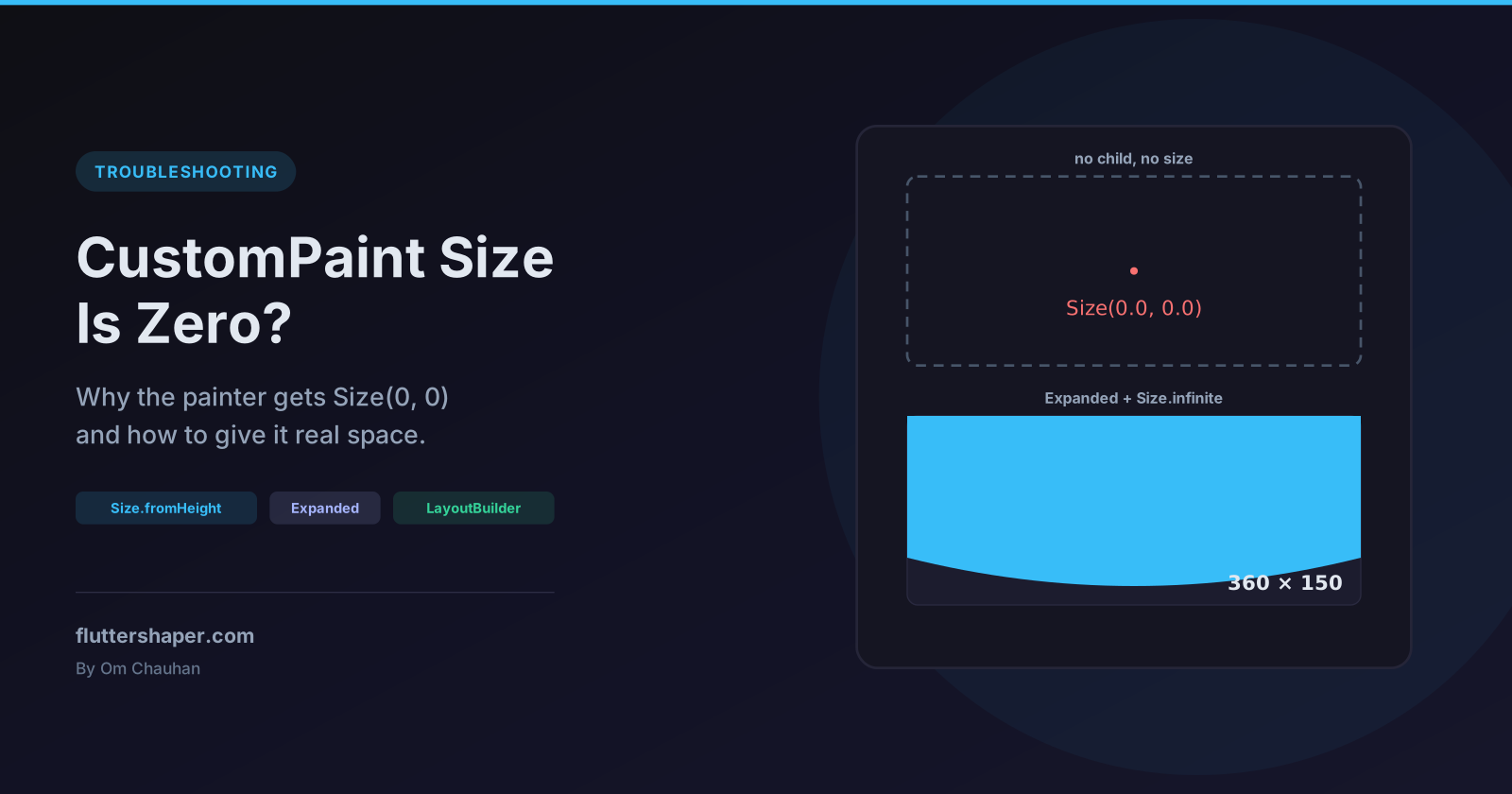
You write a CustomPainter, put it on screen, and nothing appears. There's no error, and paint() is being called. Print the size argument and you get Size(0.0, 0.0).
The painter isn't broken. The layout gave it no room, and the fix depends on which layout did it. Every size quoted below comes from a widget test on the default 800 × 600 test screen.
Check the size first
Before changing any layout, confirm the problem:
@override
void paint(Canvas canvas, Size size) {
  debugPrint('paint: $size'); // Size(0.0, 0.0) means the layout is the problem
}
A zero size doesn't stop paint() from running. A widget test shows the painter is still called, just with Size(0.0, 0.0), so anything you draw relative to size ends up as nothing. Sometimes only one side is zero, such as Size(800.0, 0.0), which is just as invisible.
The painter used in the examples below draws a wave scaled to whatever size it gets:
class WavePainter extends CustomPainter {
  const WavePainter({this.color = const Color(0xFF6366F1)});
  final Color color;

  @override
  void paint(Canvas canvas, Size size) {
    final path = Path()
      ..lineTo(0, size.height * 0.7)
      ..quadraticBezierTo(size.width * 0.25, size.height, size.width * 0.5, size.height * 0.7)
      ..quadraticBezierTo(size.width * 0.75, size.height * 0.4, size.width, size.height * 0.7)
      ..lineTo(size.width, 0)
      ..close();
    canvas.drawPath(path, Paint()..color = color);
  }

  @override
  bool shouldRepaint(WavePainter oldDelegate) => oldDelegate.color != color;
}
How CustomPaint chooses its size
CustomPaint follows two rules, both visible in RenderCustomPaint in the Flutter source:
- With a
child, it passes its constraints to the child and takes the child's size. Thesizeargument is ignored. - Without a child, it takes the
sizeargument and clamps it to the constraints from its parent (constraints.constrain(size)).sizedefaults toSize.zero.
So a childless CustomPaint is as small as its parent allows, unless you ask for more. Most parents allow zero. Here is what a childless CustomPaint gets for three different size values:
| Parent | Constraints it passes down | size not set (Size.zero) |
size: Size(200, 100) |
size: Size.infinite |
|---|---|---|---|---|
SizedBox(width: 300, height: 150) |
Exactly 300 × 150 | 300 × 150 | 300 × 150 | 300 × 150 |
Center |
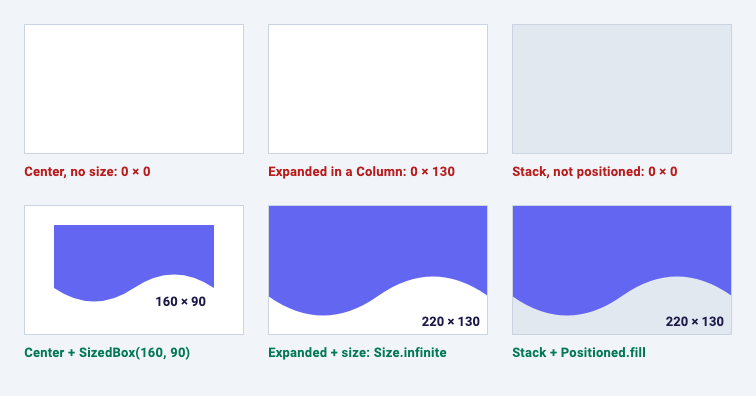
Anything up to 800 × 600 | 0 × 0 | 200 × 100 | 800 × 600 |
Column |
Width up to 800, unbounded height | 0 × 0 | 200 × 100 | Error |
Vertical ListView |
Width exactly 800, unbounded height | 800 × 0 | 800 × 100 | Error |
Two things stand out. First, size is a request, not an order: a SizedBox overrides it completely, and a ListView overrides the width. Second, Size.infinite is safe only when the parent sets a maximum in both directions.
Cause 1: no child, no size, loose constraints
// Broken: nothing on screen, the painter gets Size(0.0, 0.0).
const Center(
  child: CustomPaint(painter: WavePainter()),
)
Center, Align, and the cross axis of a default Column or Row all give loose constraints: any size from zero up to a maximum. With the default Size.zero, the painter takes zero.
Fix it by giving the painter a size. Either force one from outside:
const SizedBox(
  width: 300,
  height: 120,
  child: CustomPaint(painter: WavePainter()),
)
or request one with the size argument:
const CustomPaint(
  size: Size(300, 120),
  painter: WavePainter(),
)
Both give 300 × 120 inside a Center. The difference shows up in tighter parents: a SizedBox always wins, while size is clamped. In a test, SizedBox(width: 100, height: 100) around CustomPaint(size: Size(300, 300)) produces a 100 × 100 painter.
Cause 2: Column, Row and ListView
A Column lets its children be as tall as they like (unbounded height), and with the default crossAxisAlignment.center it lets them be any width up to its own. A childless CustomPaint picks zero for both.
A vertical ListView is a slightly different trap. It forces the width, but the height is still unbounded:
// Broken: 800 x 0 in a vertical ListView.
ListView(
  children: const [
    Text('Weekly activity'),
    CustomPaint(painter: WavePainter()),
  ],
)
The painter gets the full width and a height of zero. The fix is to request a height and let the width fill:
// Full width, 120 high, in a Column or a vertical ListView.
ListView(
  children: const [
    Text('Weekly activity'),
    CustomPaint(size: Size.fromHeight(120), painter: WavePainter()),
  ],
)
Size.fromHeight(120) is Size(double.infinity, 120). The infinite width is clamped to the maximum the parent allows, so the painter gets 800 × 120 in both a Column and a vertical ListView.
Don't use it in a Row. A Row has no maximum width, so the infinite width stays infinite and layout fails (see cause 5). In a Row, Size.fromWidth(120) is the mirror image: a test gives 120 × 600, with the height clamped to the Row's.
Cause 3: Expanded only fixes one axis
This one looks right and still draws nothing:
// Broken: Expanded fixes the height but the width is still 0.
const Column(
  children: [
    Expanded(child: CustomPaint(painter: WavePainter())),
  ],
)
Expanded makes the child fill the remaining height exactly. It says nothing about width, and a default Column centres its children with loose width constraints. The test result is 0 × 600: full height, zero width.
Two fixes, both tested to fill the space below the text (800 wide):
// Fill the rest of a Column.
const Column(
  children: [
    Text('Weekly activity'),
    Expanded(
      child: CustomPaint(size: Size.infinite, painter: WavePainter()),
    ),
  ],
)
// Same result: stretch gives the width, Expanded gives the height.
const Column(
  crossAxisAlignment: CrossAxisAlignment.stretch,
  children: [
    Text('Weekly activity'),
    Expanded(child: CustomPaint(painter: WavePainter())),
  ],
)
Size.infinite is safe here because Expanded bounds the height and the Column bounds the width. Note that stretch also stretches every other child, including the Text.
Cause 4: a non-positioned child in a Stack
A Stack sizes itself from its non-positioned children and, by default (fit: StackFit.loose), gives them loose constraints. A childless CustomPaint among them takes zero:
// Broken: a non-positioned Stack child gets loose constraints.
// photo is any sized widget, for example Image.asset(...).
Stack(
  children: [
    photo,
    const CustomPaint(painter: WavePainter()),
  ],
)
Wrap it in Positioned.fill so it matches the Stack, which is as big as the photo:
// Fixed: the Stack is as big as the photo, and the painter fills the Stack.
Stack(
  children: [
    photo,
    const Positioned.fill(
      child: CustomPaint(painter: WavePainter()),
    ),
  ],
)
With a 300 × 200 photo, a test gives the painter 0 × 0 before the fix and 300 × 200 after.
Cause 5: Size.infinite in an unbounded parent
Reaching for Size.infinite (or double.infinity) to "just fill the space" works only when there is a maximum to clamp to. In a Column, the height has no maximum:
// Throws: "RenderCustomPaint object was given an infinite size during layout."
const Column(
  children: [
    CustomPaint(size: Size.infinite, painter: WavePainter()),
  ],
)
The error from a widget test, trimmed:
RenderCustomPaint object was given an infinite size during layout.
This probably means that it is a render object that tries to be as big as possible, but it was put
inside another render object that allows its children to pick their own size.
...
The constraints that applied to the RenderCustomPaint were:
  BoxConstraints(0.0<=w<=800.0, 0.0<=h<=Infinity)
The exact size it was given was:
  Size(800.0, Infinity)
The last two lines tell you which axis is the problem: here the width was clamped to 800, the height stayed infinite. Give that axis a bound with Expanded, a SizedBox, or a finite value in size.
Fixes that adapt to the parent
AspectRatio
When the height should follow the width, AspectRatio picks the largest width the parent allows and derives the height:
// As wide as the parent allows, half as high.
const AspectRatio(
  aspectRatio: 2,
  child: CustomPaint(painter: WavePainter()),
)
Inside an 800-wide Column the painter is 800 × 400. This works in a Column or ListView because only the width needs a bound.
LayoutBuilder
When you need a decision rather than a ratio, read the constraints yourself:
class ResponsiveWave extends StatelessWidget {
  const ResponsiveWave({super.key});

  @override
  Widget build(BuildContext context) {
    return LayoutBuilder(
      builder: (context, constraints) {
        final width = constraints.hasBoundedWidth ? constraints.maxWidth : 300.0;
        return CustomPaint(
          size: Size(width, width < 400 ? 120 : 180),
          painter: const WavePainter(),
        );
      },
    );
  }
}
The hasBoundedWidth check is what makes it safe everywhere. Tested results: 800 × 180 in a Column, 350 × 120 inside a 350-wide SizedBox, and 300 × 120 in a Row, where the width is unbounded and the fallback kicks in.
Give it a child
If the painting is a background for some content, let the content decide the size:
// The painter is sized by its child: text plus 24 px of padding on each side.
const CustomPaint(
  painter: WavePainter(color: Color(0xFFE0E7FF)),
  child: Padding(
    padding: EdgeInsets.all(24),
    child: Text('Painted behind the text'),
  ),
)
A test confirms the painter's size is the text's size plus 48 in each direction. This is the natural setup for badges, tags and speech bubbles, where the shape should grow with the text inside it.
When the drawing shows up but the size is still zero
A painter that ignores size and draws at fixed coordinates can look fine at zero size:
class HardCodedCirclePainter extends CustomPainter {
  @override
  void paint(Canvas canvas, Size size) {
    // Ignores size: draws even when the CustomPaint is 0 x 0.
    canvas.drawCircle(const Offset(40, 40), 40, Paint()..color = Colors.teal);
  }

  @override
  bool shouldRepaint(HardCodedCirclePainter oldDelegate) => false;
}
The canvas isn't clipped to the widget's box, so the circle appears. But layout still thinks the widget takes no space, so neighbouring widgets overlap it, and taps on it never arrive: hit testing checks whether the point is inside the box first, and a 0 × 0 box contains nothing. In a widget test, a GestureDetector around this painter in a Center receives zero taps when the circle is tapped.
The Flutter docs also warn that if a painter draws outside its bounds, "there might be insufficient memory allocated to rasterize the painting commands and the resulting behavior is undefined". Draw relative to size, and fix the layout so size is real.
Quick reference
| Where the CustomPaint is | What you get | Fix |
|---|---|---|
Center, Align, loose parent |
0 × 0 | SizedBox, or size: Size(w, h) |
Column / Row child |
0 × 0 | size: Size.fromHeight(h) in a Column, Size.fromWidth(w) in a Row |
Vertical ListView child |
full width × 0 | size: Size.fromHeight(h) or AspectRatio |
Expanded in a default Column |
0 × full height | size: Size.infinite, or crossAxisAlignment: stretch |
Non-positioned Stack child |
0 × 0 | Positioned.fill |
size: Size.infinite in Column/Row/ListView |
Layout error | Bound that axis first (Expanded, SizedBox) |
Has a child |
Child's size, size ignored |
Size the child, or drop it |
Related articles
Explore Our Projects
Beyond the shape tools — two more things we build and use every day. Free to try, no signup.
Keyboard Arena
Typing practice that plays like a game
Real-time WPM tests, mechanical switch audio, A-Z finger drills and 40+ structured lessons. Race a ghost of your best run instead of grinding random words.
- ✓ Live WPM & Accuracy
- ✓ Mechanical Switch Audio
- ✓ 40+ Guided Lessons
Flutter Log Explorer
Finally, Flutter logs you can read
Zero-config, real-time log capture from the Debug Adapter and Dart VM Service, with smart classification, filters and deduplication — all inside VS Code.
- ✓ Zero-Config Capture
- ✓ Smart Filters & Search
- ✓ Noise-Free Deduplication
Ready to Design Your Own Shapes?
Open the editor and start creating professional Flutter CustomPainter code visually.
Open the Editor